
Modem vs router: the modem connects your home to your ISP's line (cable, DSL, or fiber) and turns that signal into a normal internet connection. The router takes that single connection, builds your home network (Wi‑Fi and Ethernet), and shares it with every device by handing out private IP addresses. The modem brings the internet in; the router spreads it around. Most homes need both jobs done, either by two boxes or by one ISP "gateway" that does both.
What a modem does
A modem speaks the language of your ISP's physical line. A cable modem talks DOCSIS over coax, a DSL modem talks over the phone line, and on fiber the equivalent box is usually called an ONT (optical network terminal). On the other side, it hands out one plain Ethernet connection.
A standalone modem does not create Wi‑Fi or share the connection. Plug one computer straight into it and that computer gets whatever address the ISP assigns, often the public IP itself.
Many cable modems also have a small status page, often at 192.168.100.1, showing signal levels. That is a management page, not your network's gateway.
What a router does
The router sits behind the modem and does the sharing:
- Builds the LAN. It creates your Wi‑Fi network and powers the Ethernet ports.
- Hands out private IPs. Via DHCP, each phone, laptop, and TV gets a local address such as
192.168.1.23. See What Is DHCP on Home Internet?. - Acts as the default gateway. Devices send internet traffic to the router's LAN address. More in What Is a Default Gateway?
- Does NAT. It rewrites outgoing traffic so it appears to come from the router's own WAN address, then sends replies back to the right device.
A router without a modem has nothing to share. A modem without a router usually serves just one device.
Difference between modem and router at a glance
| Modem (or fiber ONT) | Router | |
|---|---|---|
| Main job | Connects to the ISP's line | Shares that connection at home |
| Faces | The street / ISP network | Your devices |
| Creates Wi‑Fi | No | Yes (most home routers) |
| Hands out local IPs | No | Yes, via DHCP |
| IP it holds | Passes along what the ISP assigns | Private LAN IP + WAN IP |
How to tell which box you have
- Count the ports. One coax, phone, or fiber input and a single Ethernet output usually means a modem or ONT. Several numbered LAN ports plus a WAN or Internet port means a router.
- Look for Wi‑Fi details. A sticker with a network name (SSID) and Wi‑Fi password means the box routes.
- Check the label. "Gateway," "modem router," or "voice gateway" means a combo unit.
- Ask your device. Your default gateway (from
ipconfigon Windows, or the Router field on Mac, iPhone, and Android) is the router's LAN address. Open it in a browser and you reach the box doing the routing.
Do you need both?
You need both functions, but not necessarily two boxes.
- ISP combo gateway. One box does modem and router work. Simplest setup, and the default for many providers.
- Separate modem + your own router. More control over Wi‑Fi, updates, and features, and a router you keep when you change ISP. Some providers also charge a monthly rental fee for their gear.
- Your own router behind an ISP gateway. Common, but now two devices are routing. Unless you put the ISP box in bridge or IP passthrough mode (names vary by provider), or switch your own router to access-point mode, you get double NAT.
- Fiber with a separate ONT. The ONT plays the modem's role; you still need a router behind it.
What IP sits where: check it live
Most modem vs router explainers skip this. Each layer of your setup shows a different IP address, and comparing them tells you how your connection really works.
| Layer | Where you read it | Example |
|---|---|---|
| 1. Your device (private IP) | Device network settings | 192.168.1.23 |
| 2. Router LAN (default gateway) | Device network settings, "Gateway" or "Router" | 192.168.1.1 |
| 3. Router WAN IP | Router admin page, Status / Internet / WAN | 203.0.113.10 (or something like 100.64.12.7) |
| 4. Public IP beyond the modem | The What Is My IP homepage | 203.0.113.10 |
Examples use documentation and private ranges, not real customer addresses.
To check layer 4, open the find-my-ip.net homepage. It shows the public address your request arrived from, plus the ISP and an approximate location. ISP Lookup shows the provider and ASN registered for that address, which confirms who is on the other end of your modem.
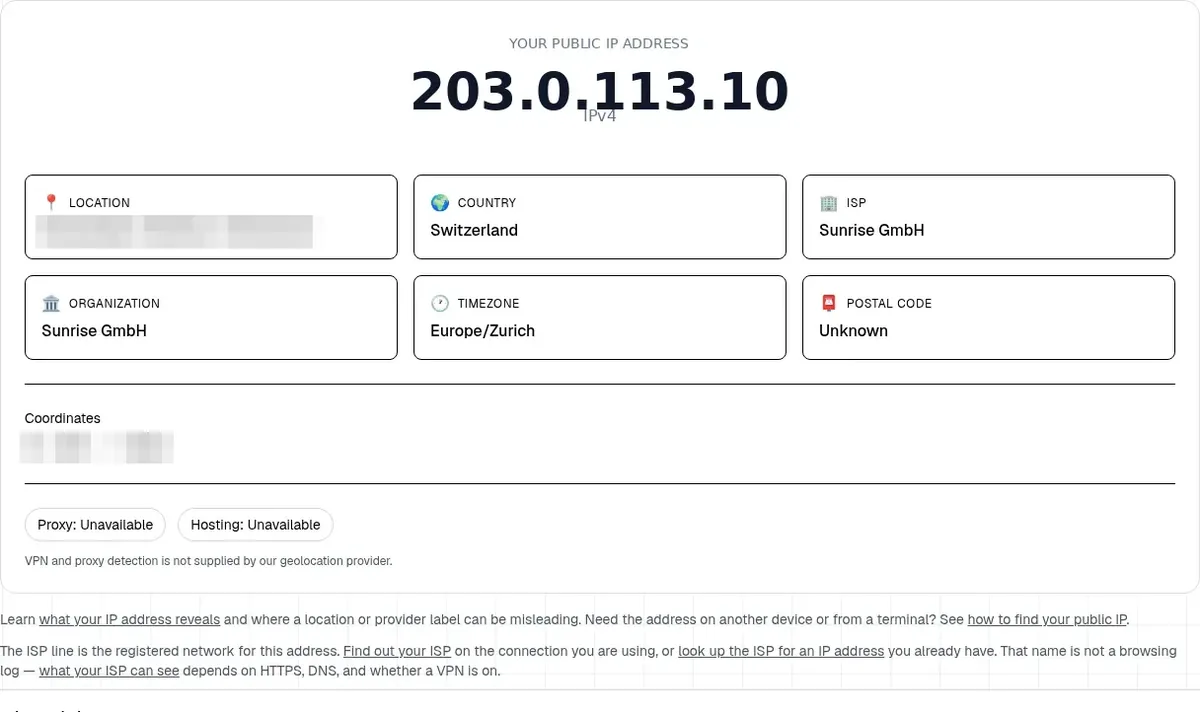
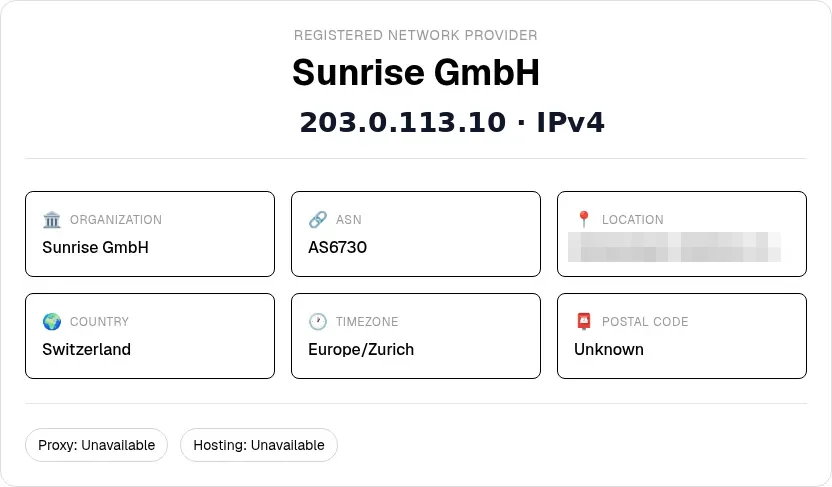
Then open your router's admin page and find the WAN or Internet IP (layer 3). What Is a WAN IP Address? shows where that field usually sits.
If layers 3 and 4 match, your router holds the public address sites see. A standalone modem is simply passing it through.
If they disagree, something between your router and the internet is doing another round of NAT:
- WAN in
100.64.0.0/10: your ISP is likely sharing one public IPv4 across many customers (CGNAT). See What Is CGNAT? and How to Tell If You're Behind CGNAT. - WAN like
192.168.x.xor10.x.x.x: usually double NAT, meaning your router sits behind an ISP gateway that is also routing. Bridge mode on the gateway, or access-point mode on your router, typically fixes it.
The CGNAT Check classifies the address this site sees and lets you compare it with your router's WAN IP.
Turn off any VPN or iCloud Private Relay before comparing, or the site sees that exit instead of your connection.
Does restarting the modem or router change your IP?
Sometimes. A restart can bring a new public IP from the ISP, but many providers keep the same lease. Does Restarting Your Router Change Your IP? covers when it changes and when it doesn't.
Bottom line
The difference between modem and router comes down to direction: the modem faces your ISP, the router faces your devices. You need both jobs done, by one combo gateway or two boxes. To see how your setup really behaves, compare your router's WAN IP with the public IP on the What Is My IP homepage. A match means a clean single layer. A mismatch points to CGNAT or double NAT.