
To show your IP address, open the What Is My IP page in any browser: the large number at the top is the public IP that websites see. It works the same on a phone, tablet or computer, with nothing to install. Your device's settings show a different number, a private local address that only your home network uses. Both are real; they answer different questions.
Which IP do you want to show?
| You want | Where to look | Example |
|---|---|---|
| The address websites, games and servers see | What Is My IP or any "show my IP" page | 203.0.113.42 |
| The address your router gave this device | Device settings (table further down) | 192.168.1.23 |
The public address belongs to your whole connection. Every phone and laptop on the same Wi‑Fi usually shows the same public number. The local address is different for each device and is not visible to websites. If you want the longer explanation, read public vs private IP addresses.
What we saw on one test machine
On 12 November 2026 we opened find-my-ip.net on a Linux test machine and, in the same minute, read the machine's own network settings.
- The page showed a public IPv4 address, with a location, a provider and a timezone.
- The machine's settings showed
172.30.0.2, a private address from the172.16.0.0/12block that RFC 1918 reserves for local networks.
Two different numbers, and both correct. The settings number never leaves your network. The number on the page is the one a website logs when you visit it. That is also the answer to "How do I check if my IP is visible?": the address a show-my-ip page displays is exactly what other sites see right now.
What the result shows, line by line
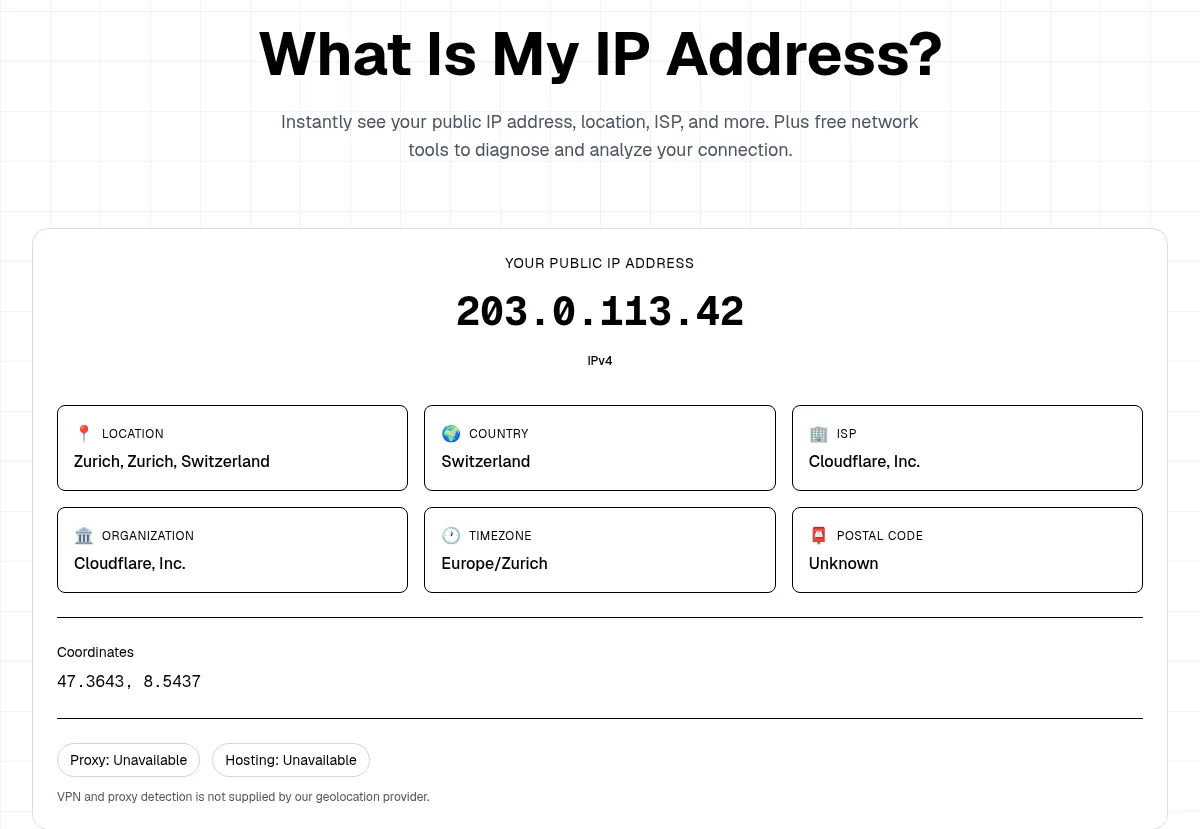
This is the real result card from our homepage. We replaced the real address with 203.0.113.42, a documentation address from RFC 5737.
- Your public IP address. The number in large type. The tag under it says IPv4 or IPv6. If you were expecting a dotted number and see colons, read what is my IPv4 address.
- Location and country. An estimate from a geolocation database, not GPS. It often names the city where your provider's network hands traffic out, which can be far from you. More on that in how accurate IP geolocation is.
- ISP and organization. The network the address is registered to. In our test both lines said Cloudflare, Inc., because that machine reaches the internet through Cloudflare's network, not a home provider.
- Timezone, postal code and coordinates. Database values for the same estimated area. A postal code of "Unknown" is normal. The coordinates point to an area, not to your street.
- Proxy and hosting. On our test both read "Unavailable", and the page states that VPN and proxy detection is not supplied by our geolocation provider. The card does not tell you whether a VPN is on. Compare the number with the VPN on and off instead.
Show your IP on a phone
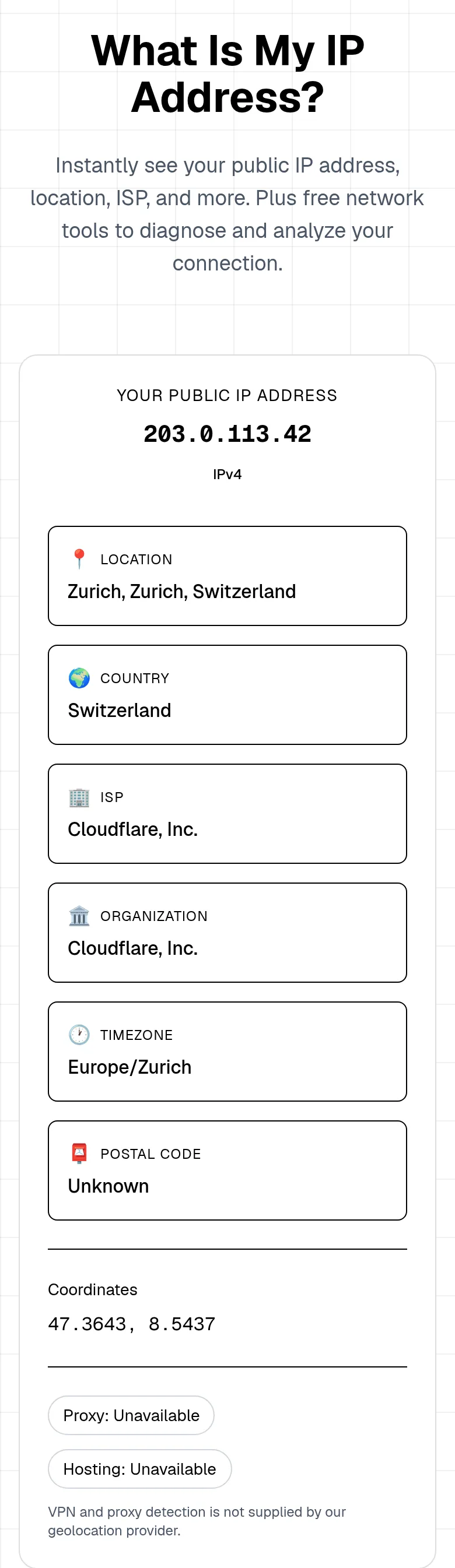
On a phone the same page stacks the cards one per row, so scroll to see the provider and timezone. One thing changes the answer on phones: the network in use. On Wi‑Fi you see your home connection's public IP. On mobile data you see the carrier's address, which is often shared by many customers. If you want to compare, load the page once on each and note both numbers.
Show your IP on each device (local address)
The device's own address is in its network settings. These paths show the private local address, not the one websites see.
| Device | Where the local IP is shown |
|---|---|
| Windows 11 | Settings > Network & internet > Wi‑Fi (or Ethernet) > Hardware properties > IPv4 address (Microsoft) |
| macOS | System Settings > Network > Wi‑Fi > Details > TCP/IP (Apple) |
| iPhone and iPad | Settings > Wi‑Fi > tap the info button next to your network > IP Address |
| Android | Settings > Network & internet > Internet > tap your network (menu names vary by brand) |
| ChromeOS | Settings > Network > Wi‑Fi > select the connected network > Network section |
Typical results start with 192.168., 10. or 172.16. to 172.31.. If you see 169.254.x.x, the device did not get an address from the router and you should reconnect. On a computer, the command ipconfig (Windows) or ip addr (Linux) prints the same local address. For more ways to get the public number, including from a terminal, see how to find your public IP.
Why the number can change or look wrong
- A VPN or iCloud Private Relay is on. The page shows the exit address of that service, which is the point of using one. Turn it off and reload to see your provider's address.
- You switched networks. Wi‑Fi, mobile data and a hotspot each have their own public IP.
- Your provider changed it. Many home addresses are dynamic and change after a router restart or a lease renewal. See does your IP address change.
- The router shows a different "WAN" address. If it starts with
100.64.to100.127., your provider likely shares one public address among many customers. The CGNAT Check confirms it.
Can someone else see my IP?
Yes, every website and online service you connect to receives your public IP, because replies need an address to come back to. That is normal and is how the internet works. What it reveals is roughly your provider and area, not your name or street. If you want a different address shown, a VPN replaces it with the VPN's exit for the traffic it covers. For details, read what your IP address reveals.
Bottom line
To show your IP, open the What Is My IP page: the big number is your public address, the one sites see. The city and provider under it are estimates from a database. To see the local address your router gave the device, use the settings path in the table above.